A microduck biped robot can look impressive as it steps across a desk, but a short demonstration reveals little about daily performance. Buyers should look beyond appearance and compare balance, walking speed, battery life, repair options, software access, and the surface it can handle. Small details matter. A robot that walks smoothly on a flat showroom floor may wobble on a carpet edge or stop when its battery weakens.
Industry data offers useful context, but it cannot verify a specific model’s claims. The International Federation of Robotics’ World Robotics 2024 report recorded 541,302 new industrial robot installations worldwide in 2023, with 4,281,585 industrial robots operating globally. These figures describe industrial automation, not small biped robots or consumer demand. That distinction matters. They show robotics adoption at scale, but they do not tell buyers whether a microduck biped robot is durable, easy to program, or worth its price.
Use the seven tips that follow as a practical checklist. Ask for clear specifications, real operating footage, warranty terms, and evidence of replacement-part availability. Check whether the controller and app support your devices, and whether the seller explains limitations plainly. A polished video is not a test. I would also leave room for uncertainty: early reviews can miss problems that appear after repeated use. Careful questions now can prevent a charming desk companion from becoming an expensive display piece.
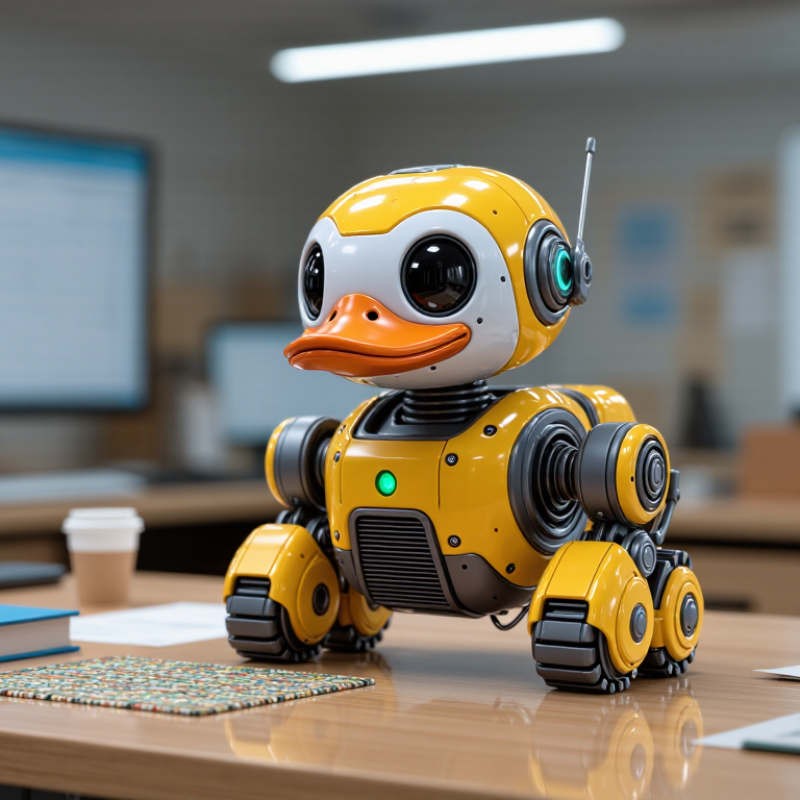
Identify the Microduck Biped Robot and Its Intended Purpose
A Microduck Biped Robot is best identified by its two-legged design and duck-like form, not by its name alone. Product descriptions can use similar wording for very different machines. Look closely at the feet, leg joints, sensors, and control method. Does it walk independently, respond to commands, or simply perform preset motions? A rounded shell may look playful, but appearance does not prove what the robot can do. Check the manual or product specifications for supported functions.
Its intended purpose matters just as much. A simple model may be designed for play or demonstrations, while a programmable kit may teach basic robotics and coding. A research-oriented unit may offer sensor data or adjustable movement, but require more setup. Ask what is included, how it connects, and whether it needs an app, computer, or extra parts. Check walking tests on a hard, level floor, plus battery runtime and charging time. Small legs can struggle on thick carpet. I would not assume that a video shows everyday performance; it may show ideal conditions. That distinction is easy to miss.
| Tip | What to Identify or Check | Why It Matters | How to Verify Before Buying |
|---|---|---|---|
| 1. Confirm the robot type | Establish whether “Microduck” refers to a specific model, a kit, or a general description. Check that the robot is genuinely bipedal and determine whether it is supplied assembled or as a build-it-yourself kit. | Product names and listings can describe different configurations. The included hardware and assembly work affect cost, setup time, and suitability. | Review the complete specification sheet, package contents, photographs, and assembly instructions. Ask for clarification if the exact model or configuration is not stated. |
| 2. Match it to an intended purpose | Decide whether the main use is education, programming practice, research, demonstration, or entertainment. Check that the listed software and features support that use. | A robot designed for basic demonstrations may not offer the sensors, programming access, or repeatability required for research or more advanced projects. | Look for documented example projects, supported programming tools, sensor details, and a clear description of intended users and tasks. |
| 3. Check size, mass, and payload | Compare the robot’s height, footprint, total mass, and stated payload capacity with the available workspace and any accessories it must carry. | These measurements affect portability, stability, storage, and whether the robot can safely carry an added sensor or small object. | Use the manufacturer’s stated measurements and payload limit. Do not assume that a robot can carry extra equipment unless a tested limit is provided. |
| 4. Understand walking and balance capabilities | Check which movements are supported, such as standing, walking, turning, or recovering from a loss of balance. Find out whether operation is autonomous, remotely controlled, or both. | Bipedal movement requires balance control, and performance can vary with the surface, speed, battery level, and added load. | Request demonstration footage on a level surface and review any stated limits. Treat claims about uneven-ground or fall recovery performance as unverified unless documented. |
| 5. Review control and connectivity | Identify the supported programming languages, control interface, communication methods, and any required computer, controller, or mobile device. | Compatibility determines how easily the robot can be integrated into lessons, experiments, or existing development tools. | Check software documentation, operating-system requirements, connection range if specified, and whether programming access is included with the purchase. |
| 6. Evaluate battery and safe operation | Check battery type, stated operating time, charging time, charging method, and any guidance for safe use around people. | Actual runtime depends on activity and load. Moving joints and a falling robot can also present pinch or impact risks. | Confirm that the listing provides battery and charger details, operating instructions, and appropriate cautions. Use the robot on a clear, stable surface and supervise operation where needed. |
| 7. Confirm support, parts, and total cost | Check warranty terms, available replacement parts, documentation, software updates, and the cost of any required accessories or consumables. | Ongoing support can determine whether the robot remains usable after wear, a component failure, or a software change. | Review the written warranty and parts list, and calculate the full cost of the robot, controller, battery, charger, tools, and required software before ordering. |
FAQS
Check its two legs, feet, joints, sensors, and controls. A rounded shell alone proves little.
It may support play, demonstrations, basic coding, or research. Check the specifications for its actual functions.
Small legs may struggle on thick carpet. Test it on a hard, level floor if possible.
Check whether it responds to commands, uses sensors, or performs preset motions. The manual should explain this.
Confirm the exact model and whether batteries, a charger, or a controller are included. Small details matter.
Not necessarily. Check the written package list for cables, tools, spare fasteners, and other items.
Check its type, charging requirements, runtime, and charging time. I sometimes overlook charging details.
Check the return window and parts availability. Ask one specific setup question and keep the order details. A clear reply helps, but it is not a guarantee.
Conclusion
Buying a microduck biped robot starts with understanding what it is designed to do, such as offering interactive play, demonstrating basic robotics, or supporting simple learning activities. Match its intended purpose to the user’s age, interests, and experience level. Then review its movement options, sensors, controls, and any app or device compatibility requirements. Clear instructions and straightforward controls can make the robot more enjoyable and easier to use.
Before purchasing, consider the robot’s materials, stability, small parts, and general safety guidance. Compare prices alongside what is included, such as batteries, charging equipment, or accessories, and check whether the seller provides helpful support. Finally, plan for setup and routine care, including charging, cleaning, and safe storage. If you hope to add features later, confirm that compatible upgrades are available and that the robot can support them.