A microduck AI robot may look like a small desktop companion, but buyers should judge more than its size or animated face. The term does not describe a standardized product category, so features can vary widely. Some models focus on interaction; others emphasize programmable movement, sensors, or educational activities. Check what each robot can actually do.
The market for robotics is growing. The International Federation of Robotics reported that sales of professional service robots reached nearly 205,000 units in 2023, a 30% increase from 2022. This broad category includes many robot types, not just compact companion devices. The figure signals momentum, but it does not prove that every small AI robot is reliable or useful. Details matter.
This guide compares seven options for global buyers. It looks at interaction quality, documented specifications, setup requirements, connectivity, support, and stated safety features. A short demo can reveal a lot: Does the robot respond in a noisy room? Can it perform a task without constant app troubleshooting? Those practical questions matter more than polished promotional videos. Availability, software, and after-sales support may differ by region, so confirm them with the seller before ordering. We also distinguish published claims from independently verified information wherever possible. No product is perfect. Small robots can have limited battery life, unclear privacy settings, or features that depend on an internet connection. The comparison is a starting point, not a substitute for checking the latest product documentation.
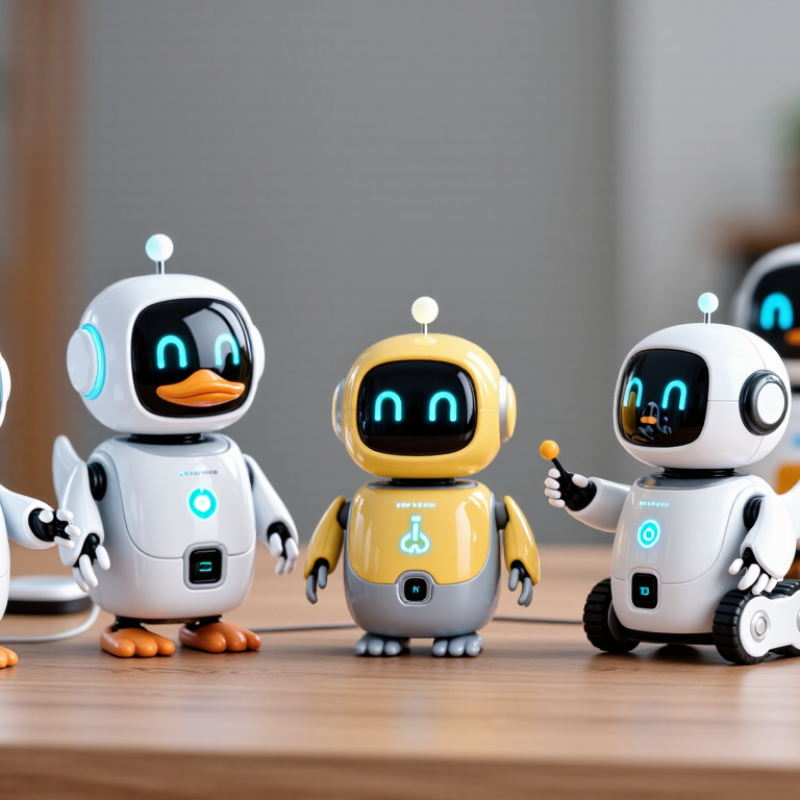
What Are Microduck AI Robots and How Do They Work?
Microduck AI robots are small, duck-inspired devices that combine simple movement with interactive software. The name does not describe a single standardized technology. A model may respond to voice, touch, movement, or nearby objects, depending on its sensors and design. Think of a palm-sized figure turning toward a sound or waddling across a desk. Cute is only the shell. Its actual abilities depend on its hardware and software.
A typical unit uses microphones, cameras, touch sensors, or distance sensors to collect information. A processor interprets those inputs and selects a response, such as making a sound, moving a small motor, or answering a basic question. Some functions run directly on the robot; others may rely on an internet connection. That difference affects privacy, response speed, and performance when Wi-Fi is unavailable. AI can make interaction feel flexible, but it does not mean the robot understands everything. It can still mishear words or react oddly. That is worth remembering.
Tips: Check the sensor list, battery life, and whether an internet connection is required. Try simple commands in a quiet room, then test how the robot handles background noise. Review what data it collects before enabling connected features. Small devices have limits. A short, clear command often works better than a complicated request.
Annual worldwide sales of professional service robots, in thousands of units
Sales reached approximately 205,000 units in 2023. “Microduck AI robots” is not a standard category in the cited data, so these figures provide broader market context rather than sales figures for a specific robot type. Source: International Federation of Robotics, World Robotics 2024.
Microduck AI robots stand out through compact design and practical autonomy. Their small frames can move between desk-sized work areas, narrow shelves, or crowded demonstration spaces. Cameras and proximity sensors help them recognize nearby objects and adjust their paths. On-device processing may also reduce dependence on a constant network connection, though performance varies by model and environment.
Useful differences are often less visible. Check whether the robot supports replaceable sensors, clear software updates, and simple integration with existing tools. Battery life, charging time, and noise matter during daily use. A robot that navigates smoothly in a showroom may struggle with glossy floors or dim corners. That gap deserves attention. Buyers should compare documented test conditions, not just feature lists.
Tips: Ask for a live demonstration using your own floor layout. Test obstacle detection, language settings, connectivity, and recovery after a connection drop. Keep a short trial log. Small details matter. Also confirm local service options and spare-part availability before ordering; international delivery can complicate repairs. No single feature guarantees a better fit.
How to Compare Microduck AI Robots for Different Needs
A microduck AI robot can serve as a desk companion, learning aid, or simple home assistant. Compare models by the job they must do, not by appearance alone. Check whether voice recognition works in a noisy room, whether responses can be adjusted, and how long the battery lasts during active use. For children, review age guidance, durable materials, and clear controls for recording or sharing data. For older adults, prioritize readable feedback and reliable, low-effort interaction.
The International Federation of Robotics reported that 205,000 professional service robots were sold in 2023, a 30% increase over the previous year. Its World Robotics 2024 report also recorded 11.3 million consumer service robots sold, up 11%. These figures show a broadening market, not proof that every small robot is useful. Ask sellers for measurable details, such as operating time, supported languages, update policy, and warranty terms. Test the robot in the space where it will actually be used. A cheerful demo can hide frustrating delays.
Tips: Make a short comparison sheet. Score task fit, privacy controls, battery life, support, and total cost. Try key commands before buying. One detail is easy to miss: a robot that needs frequent charging may spend more time on its dock than with its user.
| Robot Type | Best Suited To | Typical Size or Weight | Typical Battery Runtime | Payload or Carrying Capacity | Mobility and Environment | AI and Control Considerations | Key Buying Check |
|---|---|---|---|---|---|---|---|
| Educational Coding Robot | Schools, introductory robotics, and classroom programming | Usually tabletop-sized; approximately 0.2–2 kg | Often around 1–4 hours of active use, depending on battery and activity | Generally limited to lightweight sensors or small accessories | Designed mainly for smooth indoor floors and desks | May support block-based programming, simple sensors, and beginner-level autonomous actions | Check age suitability, language support, curriculum resources, charging method, and repair options |
| Home Companion Robot | Basic home interaction, reminders, and mobile video communication | Ranges from compact tabletop devices to small mobile units, commonly about 1–10 kg | Varies widely; mobile models commonly need recharging after several hours of use | Usually not intended to carry meaningful loads | Primarily indoor use on level floors; thresholds and stairs can be obstacles | Voice, camera, and navigation features depend on the model; privacy controls are important | Review camera and microphone controls, data storage policies, Wi-Fi compatibility, and local-language support |
| Telepresence Robot | Remote workplace visits, education, and virtual facility tours | Typically about 10–30 kg, often with a screen mounted on a mobile base | Commonly about 4–8 hours, but screen use and wireless signal affect runtime | Usually carries its own display and communication equipment rather than cargo | Indoor corridors and accessible floors; ramps and door widths may limit operation | Remote driving and video calls are common; autonomous navigation varies by model | Check network coverage, camera quality, height adjustment, accessibility, and data-security requirements |
| Indoor Research Mobile Robot | University labs, prototyping, mapping, and robotics development | Small research bases often weigh approximately 5–50 kg | Often about 2–8 hours, depending on the battery and onboard computing load | Varies by platform; some compact bases support only sensors, while larger platforms carry heavier equipment | Mostly smooth indoor surfaces; wheel type and clearance determine floor suitability | May support mapping, obstacle detection, and developer software; capabilities depend on installed sensors and software | Confirm programming interfaces, sensor compatibility, documentation, spare parts, and software licensing |
| Warehouse Autonomous Mobile Robot | Moving materials between work areas in warehouses and industrial sites | Industrial platforms range from compact units to machines weighing several hundred kilograms | Often designed for multi-hour shifts; charging or battery-swapping arrangements vary | Capacity varies substantially, from tens of kilograms to more than one tonne on heavy-duty systems | Best on surveyed, relatively even indoor floors with defined routes and operating zones | Navigation may use mapped routes, cameras, lidar, or other sensors; safe integration needs site planning | Verify rated payload, stopping behavior, local safety compliance, fleet software, and facility-floor requirements |
| Quadruped Inspection Robot | Inspection, research, and remote observation in difficult-to-access areas | Many platforms weigh roughly 10–50 kg, with size and capability varying by design | Often around 1–3 hours of continuous operation; workload and terrain can reduce runtime | Typically suited to sensors and light equipment; check the manufacturer-rated payload | Can handle some uneven terrain and steps, but performance depends on model and conditions | Remote operation is common; autonomous navigation and obstacle handling vary considerably | Check operating temperature, weather protection, terrain limits, payload, battery replacement, and training needs |
| Humanoid Research Robot | Human-robot interaction studies, development, and controlled demonstrations | Ranges from small research platforms to full-height systems; mass varies widely | Often limited to a few hours of active operation, especially during movement-intensive tasks | Varies by joint design and task; lifting ability should be checked against published limits | Usually intended for controlled indoor environments; walking performance is model-specific | May combine perception, speech, and motion planning, but dependable task autonomy is not guaranteed | Assess safety controls, software access, support, walking stability, operating limits, and total ownership cost |
Comparison note: These are robot categories, not specific products. Size, runtime, payload, and autonomy are representative ranges found across product classes, not guaranteed specifications or directly comparable test results. Confirm current specifications, certifications, wireless compatibility, service availability, and import requirements with the seller before purchasing.
A compact wheeled Microduck suits desk-side reminders and simple voice interaction. Its low profile slips beside a keyboard, though small wheels may struggle with thick rugs.
A soft-bodied companion emphasizes touch and expressive movement. It fits calm home settings, but fabric needs regular cleaning.
A screen-faced model displays weather, timers, and basic expressions. Bright displays can distract in dim rooms. Consider one with adjustable brightness.
A camera-equipped rover can inspect shelves or follow a person across a clear floor. Check its privacy controls and how it handles obstacles.
A tabletop learning robot works well for guided puzzles and beginner coding activities. It needs patient setup.
A small two-legged model offers more character through gestures, yet may wobble on uneven surfaces.
The quiet, stationary model is designed for bedside reminders or focused conversation. It trades movement for a smaller footprint and fewer mechanical parts.
These are design categories, not guarantees; actual performance depends on sensors, software, and room conditions.
Tips: Measure the play area, check charging time, and test voice pickup from across the room. Ask what data the device stores. Start with the simplest use case. Fancy features can disappoint.
Before buying a Microduck AI robot, define its actual job: greeting visitors, carrying small items, or guiding guests. Ask for a live test in a space like yours, with background noise, uneven lighting, and weak Wi-Fi. A polished demo is not proof. Check its languages, battery life, obstacle response, and whether key functions still work offline. Request written details on data storage, software updates, warranty coverage, replacement parts, and delivery support in your country.
The International Federation of Robotics’ World Robotics 2024 report recorded about 200,000 professional service robots sold worldwide in 2023, with transport and logistics a leading application area. That broader market figure does not verify any Microduck model’s performance. Ask sellers for model-specific test results, clear failure limits, and references from comparable deployments. Confirm that the robot can be maintained locally; waiting weeks for a small part can make a low purchase price misleading.
Tips: Test the exact unit, not only a video. Run repeated tasks, measure battery use, and check how it handles a blocked path. Read the return terms before paying. Small details matter. Also, specifications can look precise while real-world performance varies; leave room for doubt, and compare claims against your own trial.
It is a compact device combining simple movement with interactive software. Its abilities vary by model. Cute, but limited.
Microphones, cameras, touch sensors, or distance sensors collect input. A processor may trigger movement, sounds, or basic answers.
No. Some functions run on the device, while others rely on Wi-Fi. Offline performance depends on the model.
Not reliably. It may mishear speech or respond strangely, especially with background noise. Short commands work better.
Review its sensors, battery life, charging time, and connection requirements. Check data settings and software updates, too.
Not necessarily. Glossy floors, dim corners, and crowded layouts can affect movement. A showroom demo may not match your desk.
Try it on your own floor layout. Test obstacle detection, language settings, and recovery after Wi-Fi drops. Keep a brief trial log.
Noise, replaceable sensors, local repairs, and spare parts matter. Delivery can complicate repairs. Small details count.
This guide introduces what a microduck ai robot is and explains, in general terms, how artificial intelligence, sensors, and responsive controls can help these small robots interact with their surroundings. It highlights features buyers may want to compare, such as design, mobility, ease of use, interaction options, battery life, and suitability for different settings. Rather than treating every model as the same, the guide considers how a robot’s capabilities and form can shape the experience it offers.
A side-by-side comparison of seven example designs shows how different use cases may call for different priorities, from simple interaction to more versatile functionality. For global buyers, the guide also outlines practical checks before purchase, including clear product specifications, compatibility, support, shipping details, and warranty terms. The aim is to help readers assess options thoughtfully and choose a microduck ai robot that fits their needs and expectations.